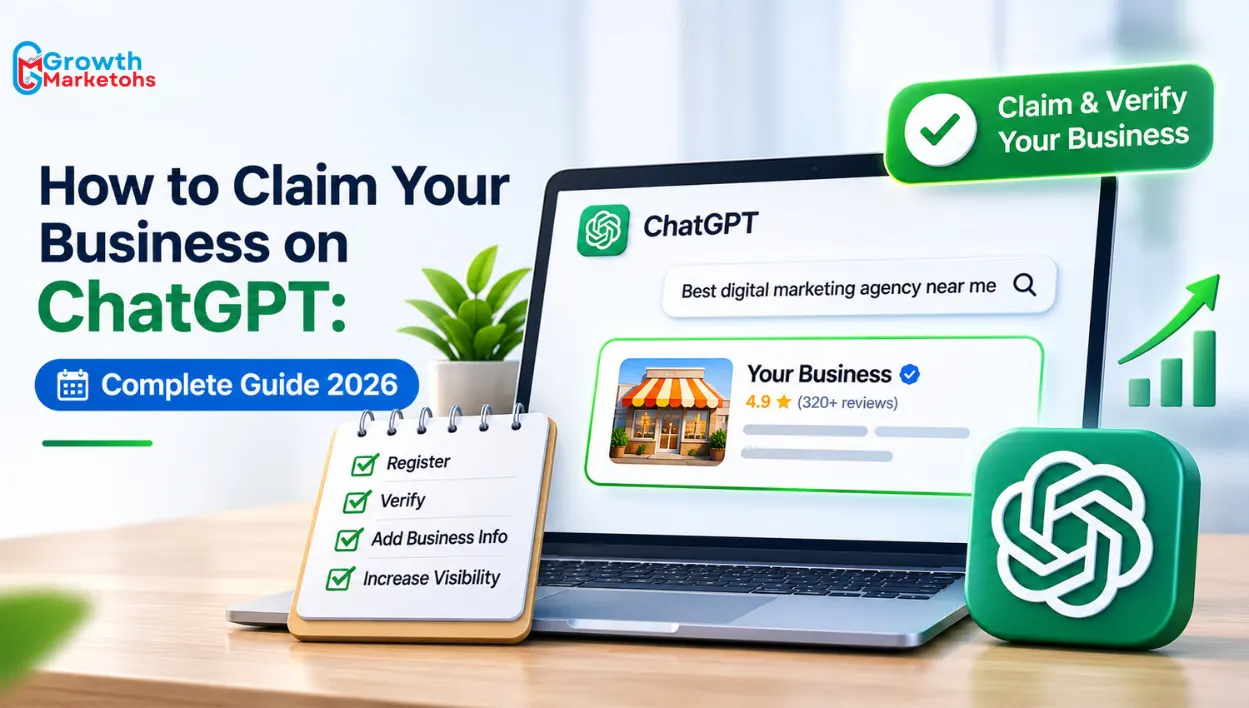
ChatGPT is changing how customers discover businesses, compare products, and evaluate services. Instead of searching through multiple websites, people increasingly ask AI tools to recommend companies, explain product differences, and help them make purchasing decisions.
On November 10, 2026, OpenAI officially launched Businesses in ChatGPT, introducing a new way for eligible companies and ecommerce stores to claim their business profiles, verify ownership, manage information, and access customer discovery insights through ChatGPT Business Hub.
If you’re wondering how to Claim Your Business on ChatGPT, this update provides a new opportunity to manage how your business is represented on the platform.
Whether you run a local business, digital marketing agency, Shopify store, WooCommerce website, or another online business, understanding the claiming process is important. However, claiming a profile is different from improving your AI search visibility. Businesses should consider both profile management and professional ChatGPT SEO services when developing a long-term AI discovery strategy.
This guide explains everything from business verification and ecommerce integrations to product feeds, eligibility requirements, and improving visibility in ChatGPT.
What Is ChatGPT Business Hub?
ChatGPT Business Hub is a business management platform introduced by OpenAI on November 10, 2026, as part of its Businesses in ChatGPT beta launch.
It allows eligible businesses to claim their presence in ChatGPT, verify ownership, update business information, connect supported product feeds, and understand how customers interact with their business.
Previously, businesses had limited direct control over the information ChatGPT used when discussing their products or services. With Business Hub, verified organizations can now provide more accurate and updated information.
Key Features of ChatGPT Business Hub
- Business Claiming: Claim an eligible business profile and establish authorized ownership.
- Business Verification: Verify your connection to the business using supported methods.
- Profile Management: Update website details, descriptions, categories, branding, and policies.
- Product Feed Integration: Share product details, pricing, and availability through supported feeds.
- Customer Discovery Insights: Review aggregated mentions, website clicks, and discovery topics.
- Verified Business Badge: Receive a blue verification check after completing the required Persona verification.
- Business Agents: Eligible US ecommerce and online service businesses can create AI-powered agents to answer customer questions.
The biggest advantage is having a direct way to manage business information.
However, claiming a business does not guarantee that ChatGPT will recommend it more frequently.
Who Can Claim Their Business on ChatGPT?
Before beginning ChatGPT business registration, businesses should understand the eligibility requirements.
OpenAI allows eligible businesses in locations where ChatGPT is available to request business claiming, provided the required verification methods are supported.
Eligibility depends on business type, location, verification requirements, and OpenAI’s integrity checks.
1. Online Service Businesses
Eligible digital marketing agencies, consulting companies, software businesses, IT service providers, and other online service businesses can explore the claiming process.
Businesses must be owned or represented by an authorized individual.
2. Ecommerce Stores
Eligible ecommerce businesses can claim their business profiles and connect supported product information.
This includes Shopify merchants and other online retailers, although integration methods may differ.
3. Local Businesses
Local stores and restaurants face additional restrictions.
At launch, local stores and restaurants can claim existing US listings. Creating new local business profiles is not available universally.
4. Existing OpenAI Business Customers
Organizations with existing OpenAI Enterprise or advertising relationships may be able to coordinate business claiming through their OpenAI representative.
Important: Claiming a business and creating a Business Agent are separate features. Business Agents are initially available only to eligible ecommerce and online service businesses in the United States.
How to Claim Your Business on ChatGPT: Step-by-Step Guide
The claiming process involves finding your business, confirming ownership, submitting verification information, obtaining approval, and completing identity verification.
Follow these steps to get started.
Step 1: Open ChatGPT Business Hub
Visit ChatGPT and sign in using the account you want associated with your business.
Open Business Hub from the sidebar and search for your business by name.
If OpenAI has sent you a claiming invitation, use the personal invitation link and sign in with the email address that received it.
Step 2: Search for Your Business
Enter your business name and review the available listings.
Select the listing that correctly represents your company.
Check important identifying information, including the business name and website.
If your business does not appear, eligible online businesses may see an option to add a new profile.
Local stores and restaurants currently have more restricted listing creation options.
Step 3: Choose a Business Verification Method
OpenAI offers different verification methods depending on the business.
Available options may include:
- Business Phone: Receive a verification code through SMS or an automated phone call.
- Business Email: Receive a verification code at an email address associated with the business.
- Website Domain: Add a TXT record supplied by ChatGPT to your website’s DNS settings.
- Shopify Store: Connect your Shopify account and complete the required authorization.
Choose one of the methods displayed for your business and follow the instructions.
Step 4: Complete the Initial Verification
If you select phone or email verification, enter the code received.
For domain verification, copy the DNS record exactly as displayed in Business Hub.
You may need assistance from your hosting provider or domain administrator.
DNS changes can take time to become visible, so allow sufficient time before retrying verification.
Step 5: Submit Your Business Claim
Once the initial verification is complete, submit your claim.
OpenAI reviews the request and may approve it or ask for additional information.
You will receive an email with the decision or next steps.
Step 6: Complete Identity Verification With Persona
After your claim is approved, you must complete additional identity verification through Persona before accessing certain features.
This step is required to publish business information changes, connect product feeds, view insights, or create an eligible Business Agent.
You may need:
- Government-issued identification
- Business registration information
- Proof of business ownership
- Documentation confirming authorization to represent the company
After Persona verification is approved, your business profile can display the blue verification check.
Step 7: Update Your Business Information
Once verification is complete, review the information displayed in your profile.
Update supported details such as:
- Business website
- Business description
- Product or service category
- Business logo
- Cover image
- Delivery policy
- Return policy
- Relevant product information
OpenAI reviews submitted changes before publishing them.
Step 8: Monitor Your Business Profile
Review your profile whenever important business information changes.
For example, if your company introduces new services, updates its website, or changes product policies, make sure the available profile information remains accurate.
Learning How to Claim Your Business on ChatGPT is the first step. Improving your wider AI search presence may also require technical improvements, content optimization, and professional AI SEO services.
How to Claim Your Ecommerce Store on ChatGPT
Ecommerce businesses have additional opportunities because customers use ChatGPT to research products, compare alternatives, and explore purchasing options.
If you want to claim ecommerce store on ChatGPT, the process depends on your ecommerce platform and the available integration methods.
Shopify has a dedicated connection pathway, while other eligible ecommerce businesses can explore general claiming and supported product feed options.
How to Claim a Shopify Store on ChatGPT
The Shopify ChatGPT integration allows eligible Shopify merchants to connect their stores through Business Hub or Shopify.
Shopify Catalog already integrates eligible merchant product information into ChatGPT.
This makes ChatGPT Business Hub for Shopify particularly relevant for ecommerce businesses seeking better control over their business information.
Steps to Connect Your Shopify Store
- Sign in to ChatGPT and open Business Hub.
- Search for your ecommerce business.
- Select the correct business listing.
- Choose Shopify store verification when available.
- Click Connect Shopify.
- Review the requested permissions.
- Sign in to the appropriate Shopify store.
- Follow the verification instructions.
- Wait for claim approval.
- Complete Persona identity verification.
Once the required approvals are complete, you can manage supported business information and access eligible features.
Shopify merchants can also review the product information shared through Shopify Catalog.
However, connecting a Shopify store does not guarantee that its products will appear in ChatGPT recommendations.
For growing ecommerce brands, accurate product structures, organized collections, mobile usability, and professional Shopify website development remain important parts of the overall customer experience.
How to Claim a WooCommerce Store on ChatGPT
WooCommerce businesses can explore ChatGPT Business Hub through the general claiming process.
However, a dedicated native WooCommerce ChatGPT integration equivalent to Shopify’s documented connection process has not been established in OpenAI’s launch documentation.
WooCommerce store owners should therefore avoid assuming that the same Shopify-specific instructions apply.
Steps for WooCommerce Store Owners
- Open ChatGPT Business Hub.
- Search for your business.
- Select the relevant listing or available creation option.
- Choose a supported verification method.
- Complete the initial verification.
- Wait for claim approval.
- Complete Persona identity verification.
- Review the available product feed options.
- Prepare a compliant product feed if supported.
Businesses selling products may be able to upload a CSV feed or provide a hosted feed URL following OpenAI’s specifications.
A well-structured WooCommerce store should maintain consistent product names, descriptions, prices, identifiers, and availability information.
Professional ecommerce website development can help businesses maintain accurate product information and address technical issues affecting their storefronts.
Can Other Ecommerce Platforms Claim Their Stores?
Eligible online businesses using other ecommerce platforms may also be able to claim their business profiles.
The claiming process does not universally require Shopify.
However, product feed availability, verification options, and additional commerce features depend on eligibility and supported integrations.
Businesses should distinguish between claiming ownership of a profile and connecting product data.
ChatGPT Business Listing vs Ecommerce Integration: What’s the Difference?
A ChatGPT business listing represents an organization’s identity and information.
An ecommerce integration adds product-specific information that may help customers understand what an online store sells.
Although these features are connected, they serve different purposes.
| Feature | Business Claiming | Ecommerce Integration |
|---|---|---|
| Main Purpose | Verify business ownership | Share product data |
| Business Profile | Yes | Connected to business |
| Identity Verification | Required | May be required |
| Product Catalog | Not essential | Important |
| Product Prices | Optional | Product-specific |
| Availability Data | Optional | Product-specific |
| Shopify Connection | Not required | Supported |
| Business Agent | Separate eligibility | Separate eligibility |
A verified business profile does not automatically mean every product has been uploaded or made available for recommendations.
What Information Can Businesses Manage After Verification?
A complete ChatGPT business profile should accurately explain what the company offers and help potential customers understand its products or services.
Once claiming and Persona verification are approved, businesses can manage supported information through Business Hub.
Important Details to Review
- Business Name: Use the correct name customers recognize.
- Official Website: Provide the primary business website.
- Business Description: Clearly explain products, services, and customer offerings.
- Business Category: Select the most relevant available category.
- Brand Assets: Upload an appropriate logo and cover image.
- Product Information: Keep descriptions, prices, and availability accurate.
- Delivery Policies: Provide relevant shipping and fulfilment information.
- Return Policies: Explain applicable return and refund conditions.
For example, a business selling handcrafted ceramic mugs, plates, and bowls should describe those categories accurately rather than using a vague home decor description.
Similarly, a digital marketing agency should identify its actual services, expertise, and business focus.
Companies investing in search engine optimization services should also ensure that important business information remains consistent across their websites and relevant public sources.
Does Claiming Your Business Improve ChatGPT Search Visibility?
One of the biggest questions surrounding this update is whether verified businesses will appear more frequently in ChatGPT recommendations.
The answer requires an important distinction.
Claiming your business does not guarantee higher placement, additional recommendations, increased website traffic, or more sales.
OpenAI continues to make independent recommendations and comparisons.
However, claiming allows eligible businesses to provide current information about their products and services.
What Business Claiming Can Help With
- Managing supported business information
- Updating descriptions and categories
- Sharing accurate product details
- Providing current delivery and return policies
- Establishing verified business identity
- Accessing aggregated customer discovery insights
- Reducing reliance on outdated profile information
What Business Claiming Cannot Guarantee
- First position in ChatGPT recommendations
- Inclusion in every relevant AI-generated answer
- Guaranteed ecommerce product recommendations
- Increased Google rankings
- More enquiries or sales
- Business Agent eligibility in every country
Understanding How to Claim Your Business on ChatGPT is important, but claiming alone is not a complete AI search optimization strategy.
Businesses may still need to improve their website content, technical accessibility, product information, and broader digital presence.
How Can Businesses and Ecommerce Stores Improve Their ChatGPT Visibility?
A verified profile creates another way to manage business information, but discoverability depends on a wider set of factors.
Businesses should focus on improving the quality, accessibility, and usefulness of their digital information.
The following practices can support a broader ChatGPT visibility optimization strategy.
1. Create Clear and Detailed Website Content
Your website should explain what your business offers, who your customers are, and what makes your products or services relevant.
Avoid generic statements that could describe almost any company.
Service businesses should create detailed pages for individual offerings, industries, locations, and customer requirements.
2. Keep Business Information Consistent
Review your business name, website, descriptions, and important company details across relevant sources.
Conflicting information can confuse customers and make business identification more difficult.
Update outdated information when your company changes services, products, or branding.
3. Optimize Ecommerce Product Pages
Ecommerce businesses should maintain accurate product titles, descriptions, specifications, pricing, availability, and relevant policies.
Product pages should explain meaningful differences between products rather than repeating generic descriptions.
Professional ecommerce SEO services can support product optimization, collection structures, technical improvements, and internal linking.
4. Answer Questions Customers Actually Ask
Customers frequently ask AI tools comparison-based and problem-solving questions.
For example:
- Which Shopify platform features are suitable for a growing store?
- What should a business check before hiring a website developer?
- Which product is suitable for a particular use?
- How much does a professional service typically cost?
- What is the difference between two competing solutions?
Creating useful answers to relevant questions can improve your website’s overall usefulness and search relevance.
5. Review Technical Accessibility
Businesses should check whether relevant public website pages can be accessed by appropriate search crawlers.
OpenAI documents OAI-SearchBot as the crawler associated with ChatGPT Search.
Blocking relevant crawling access can limit discoverability, although allowing access does not guarantee inclusion in search results.
6. Build Credible Business Information
Publish genuine case studies, customer reviews, professional credentials, relevant business details, and accurate service information.
These materials can help customers evaluate your company.
However, do not assume that every traditional SEO signal is a confirmed ChatGPT ranking factor.
A professional AI SEO Company should distinguish between documented platform requirements and recommended optimization practices.
7. Develop a Long-Term AI Search Strategy
Generative Engine Optimization involves improving how information can be discovered, understood, and used in AI-generated search experiences.
Businesses should evaluate relevant content gaps, technical limitations, search intent, and available performance information.
The objective should be improving useful visibility and customer understanding, not promising guaranteed AI recommendations.
How to Track Your Business Performance in ChatGPT Business Hub
After completing the required verification, eligible businesses can access the Insights section in Business Hub.
OpenAI provides aggregated information covering the previous 28 days.
These insights can help businesses understand how their information appears in relevant ChatGPT experiences.
1. Business Mentions
For online businesses, a mention is counted when ChatGPT references the business’s website.
A brand name appearing by itself does not necessarily count as a mention.
For local businesses, a mention is counted when ChatGPT displays a result for that location.
2. Website Clicks
Website clicks indicate how often users click through to the business website from relevant ChatGPT experiences.
This can help businesses understand referral activity.
However, website clicks alone do not establish lead quality or revenue.
3. Discovery Topics
Discovery topics show broader themes associated with answers where the business was mentioned or cited.
For example, a website development company might appear in topics related to ecommerce development or website design.
These themes do not reveal individual customer prompts.
4. Reporting Limitations
Business Hub insights are aggregated to protect user privacy.
Businesses do not receive access to individual customer conversations or Business Agent chats.
Some metrics may appear blank because reporting thresholds have not been met or data remains unavailable.
For a broader assessment, businesses can combine available Business Hub insights with website analytics and SEO expert consultation.
Common Problems During ChatGPT Business Verification
The claiming process is relatively new, and businesses may encounter verification or eligibility problems.
Understanding these issues can make the process easier.
1. Your Business Is Not Showing in Business Hub
Eligible online businesses may see an option to create a profile.
However, local stores and restaurants face additional listing restrictions, particularly outside the United States.
2. Your Business Has Already Been Claimed
Open the relevant profile and use the ownership dispute option.
You may need to complete Persona verification to demonstrate that you are authorized to represent the company.
3. Domain Verification Is Failing
Check the TXT record carefully.
Make sure the record name, type, and value match the information supplied by ChatGPT.
DNS propagation may take time.
4. Your Business Claim Is Pending
OpenAI reviews claims and may request additional information.
Wait for the decision or follow the instructions provided in the verification email.
5. Persona Verification Is Unsuccessful
Check that your identification and business registration information are accurate.
Follow the instructions supplied by Persona and OpenAI.
6. Business Agent Creation Is Unavailable
A claimed business profile does not automatically qualify for a Business Agent.
Eligibility depends on location, business type, industry, and completed verification.
How Growth Marketohs Helps Businesses Improve Their ChatGPT Visibility
A verified business profile is useful, but what happens when customers ask ChatGPT to recommend companies in your industry and your business still does not appear?
That problem cannot be solved simply by completing a verification form.
Your website may have unclear service descriptions, weak content structures, technical accessibility issues, incomplete product information, or inconsistent business details.
These challenges require a broader optimization strategy.
As a ChatGPT SEO Company, Growth Marketohs helps businesses evaluate and improve their digital presence for AI-assisted search and traditional organic discovery.
Our AI Search Optimization Approach Includes:
- AI Search Visibility Audits: Identify content, accessibility, and business representation issues that may limit discoverability.
- ChatGPT SEO Services: Improve content clarity, relevance, structure, and usefulness for AI-assisted discovery.
- AI Search Optimization Services: Develop content and technical recommendations around relevant customer questions.
- Ecommerce SEO Services: Improve product pages, collection structures, internal linking, and ecommerce content.
- Entity and Content Optimization: Strengthen business descriptions, service explanations, and topical coverage.
- Technical SEO Improvements: Review crawling accessibility, website structure, performance, and other technical issues.
- Performance Analysis: Evaluate available search, referral, and engagement data to identify opportunities.
For businesses researching How to Claim Your Business on ChatGPT, claiming is the starting point. Building a website that clearly communicates your expertise, services, products, and customer value is the next challenge.
Growth Marketohs focuses on practical improvements rather than guaranteeing rankings or AI recommendations that no agency can control.
Conclusion
OpenAI’s November 10, 2026 launch of Businesses in ChatGPT introduces a new way for eligible organizations to manage their information and understand customer discovery activity.
For ecommerce stores, the opportunity includes supported product feeds, Shopify connections, and additional features where eligible. For service businesses, Business Hub provides a way to manage information and access aggregated insights.
However, verification is not the same as search optimization.
A claimed profile does not automatically make your business the preferred recommendation when customers compare products or services.
If you’re researching How to Claim Your Business on ChatGPT, start by confirming eligibility, completing ownership verification, and updating your business information. Then evaluate whether your website provides the content, technical accessibility, and product or service details customers need.
Growth Marketohs helps businesses address these wider challenges through AI SEO, ChatGPT search optimization, technical SEO, and ecommerce-focused strategies.
Whether you operate a service business or an ecommerce store, your digital presence should communicate accurate information and support customers throughout their decision-making journey.
Ready to improve your business’s visibility across ChatGPT and other AI search experiences? Contact Growth Marketohs to discuss a strategy tailored to your business.
Frequently Asked Questions
1. How to Claim Your Business on ChatGPT for Free?
Eligible businesses can begin through Business Hub without requiring an OpenAI advertising account or ChatGPT Enterprise agreement. Search for your business, complete an available verification method, submit your claim, and complete Persona identity verification after approval. Access to additional features depends on eligibility and applicable requirements.
2. Can Indian Businesses Claim Their Business on ChatGPT?
Eligible businesses in locations where ChatGPT is available may be able to claim profiles, depending on verification support and OpenAI’s approval. However, local stores and restaurants currently face restrictions on creating new listings, while Business Agents are initially limited to eligible US businesses.
3. How to Claim Your Business on ChatGPT With a Shopify Store?
Open Business Hub, search for your business, and select Shopify store verification when available. Connect your Shopify account, review the requested permissions, and follow the instructions. Claim approval and Persona identity verification are also required before accessing features that depend on verified identity.
4. Can WooCommerce Stores Connect Their Products to ChatGPT?
Eligible WooCommerce businesses can explore general business claiming and supported product feed options. OpenAI supports compliant CSV feeds and hosted feed URLs, but its launch documentation does not establish an identical native WooCommerce claiming integration to Shopify’s dedicated connection.
5. Does ChatGPT Business Verification Improve Search Rankings?
No ranking improvement is guaranteed. Verification allows businesses to manage supported profile information and access eligible features. ChatGPT continues to make independent recommendations, so businesses should not treat verification as a guaranteed method of increasing rankings, traffic, or sales.
6. What Is the Difference Between ChatGPT Business Hub and Business Agents?
Business Hub allows eligible businesses to claim profiles, manage information, connect supported product feeds, and access insights. These Agents are separate customer-facing conversational experiences that eligible businesses can configure and publish. Business Agent availability is currently more restricted.
7. How to Claim Your Business on ChatGPT if Someone Else Already Owns the Listing?
Open the relevant business profile and select the ownership dispute option where available. Follow the instructions to demonstrate that you own or are authorized to represent the business. OpenAI may require additional Persona identity verification before resolving the dispute.
8. Can a Digital Marketing Agency Manage a Client’s ChatGPT Business Profile?
Yes. Business Hub supports teammate and agency access where available. The authorized business administrator should complete the claiming process and grant the agency appropriate access. Agencies should use their own accounts rather than sharing credentials or forwarding personal claiming invitations.